 AI Photos of You
Everyday and imagined
Create AI portraits for your next profile photo or post.
Try a new outfit, a café setting, or a different mood for your next post. Upload your reference photos and choose a look for a profile refresh or a creative portrait.
Create your social portraitsFrom $19 USD. Pay once, no subscription.
Your reference photos stay private. How your photos are handled
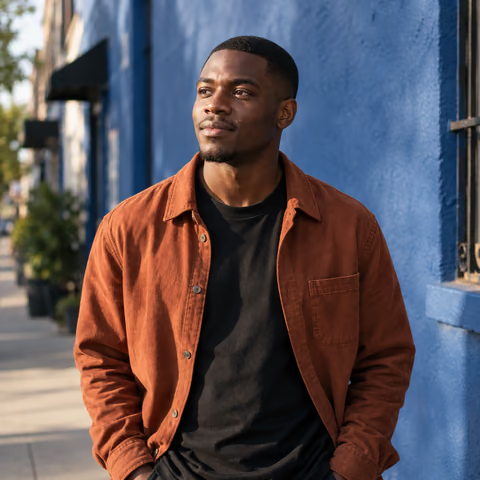
A clear profile photo or a change of scene
For a profile picture, choose a close portrait with a simple background. For a creative post, give more room to your outfit and surroundings.
Start with Café portraits for a relaxed vertical composition, or Everyday portraits for a simpler look. Explore other Studio styles when you want a different setting.
Try the look you have in mind
Pick an outfit, setting, and lighting direction that work together. Create a small set, compare the photos, and edit a favorite if you want to change a detail.
- A sidewalk café, my everyday hairstyle, plain casual clothes, natural eye contact.
- A cream sweater beside a window, warm neutral room, relaxed expression.
- A structured coat on a quiet city street, soft overcast light, no signage or other people.
Choose what to share
Check your face, hands, clothes, and background details before downloading. Review the whole image after an edit, since changes can extend beyond the detail you requested.
Your photos stay private until you choose to share them. Download your favorites and upload them yourself; Studio does not publish to social accounts. Label imagined scenes honestly and follow the platform’s AI-image rules.
Your next photo starts here
Choose a look. Make it yours.
Upload your selfies, choose a style, and describe your photo. Review the credit cost in Studio before you start.
Create your social portraitsResults vary. Keep the photos you feel represent you.
A few things to know
Your questions, answered.
Will these photos increase my followers?
Follower growth is not guaranteed. Studio helps you create portrait options for your profiles and posts.
Can Studio post directly to social media?
No. Review and download your chosen image, then upload it through the platform you use.
Can I include precise words in the image?
For reliable spelling and placement, add captions, labels, and other text afterward in a design or publishing tool.