Create professional AI headshots from your selfies.
Refresh your work profile without booking a photoshoot. Upload your selfies, choose a headshot style, and try the clothes, lighting, and background you want.
Generated in AI Photos of You · shared with permission · likeness approved by Carl
See the examples
Before-and-after examples
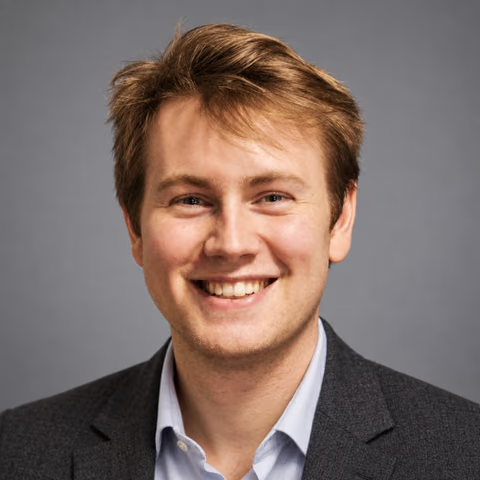
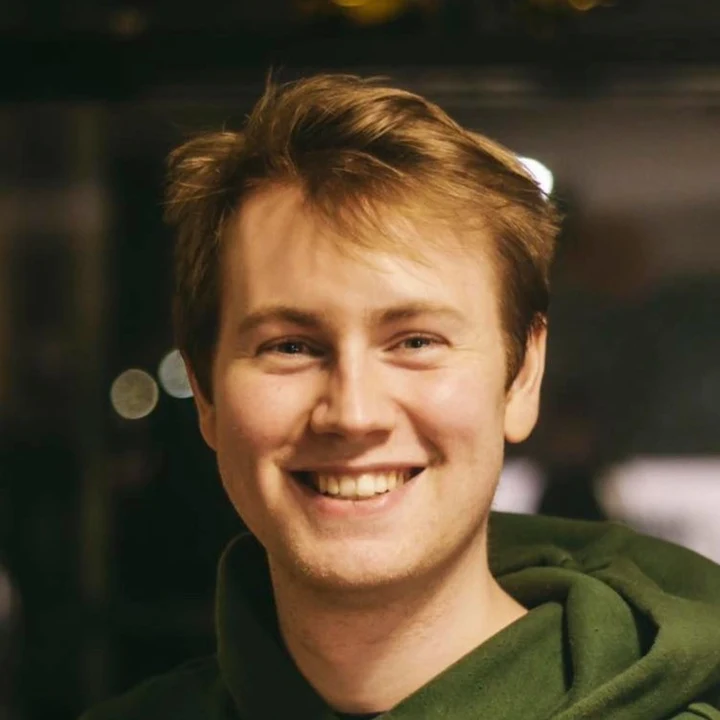
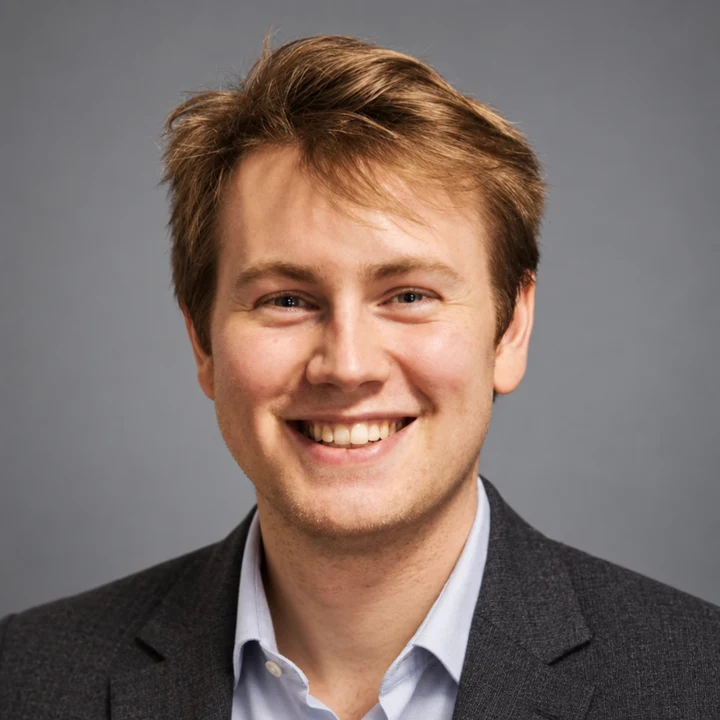
Compare Carl’s real reference photo with his first generated headshot. He gave permission to share both and approved the likeness. Look at what stayed recognizable as the clothes and background changed.
Carl’s headshot
Carl’s reference photo · shared with permissionFirst AI-generated result · likeness approved by Carl
One reference photo and the Studio headshots style, with the direction ‘A charcoal blazer, open collar, soft gray backdrop.’ This is the first and only result from that shoot, with no retouching. Carl confirmed: ‘Yes, the likeness is good.’ Shared with his permission, this is a test example, not a paid customer order. Individual results vary.
How this example was made
Made through the app’s reference upload, generation, storage, and download flow in a local verification run using the real image provider and test credits. The images shown here were resized and converted for the web; the generated portrait was not retouched. The generation record documents the run and Carl’s approval.
Start with one clear, recent photo of yourself. Studio supports one to five reference photos. If you add more, choose different angles with a consistent, current appearance; more photos do not guarantee a better likeness.
Keep your face in focus, your eyes visible, and your natural skin texture.
Avoid group photos, sunglasses, beauty filters, and deep shadows across your face.
Upload JPEG, PNG, or WebP files up to 50 MB each. Export HEIC photos to a supported format first; renaming the file does not convert it.
Your references stay private and are not added to our public examples. See our reference photo checklist for help choosing your uploads.
01
A headshot for the way you work
Create a clear portrait for your staff directory, client bio, or portfolio. Choose a jacket for a formal introduction, a plain knit for a relaxed look, or a warmer backdrop for your creative work.
The headshots look starts with a square composition. Leave space around your face so you can crop your chosen photo for an avatar or website.
02
Start with a clear reference photo
Choose a recent photo where your face is in focus and easy to see. Soft window light, an unobstructed face, and a natural expression make it easier to judge what the result should preserve. Avoid beauty filters and group photos.
Carl’s example used a single supplied photo. It shows what happened in that shoot, not a promise that one photo will work equally well for everyone. If your appearance has changed, use a reference that reflects how you look now.
03
Choose the outfit, lighting, and background
Upload clear, current photos of yourself, then describe the look you want. Start with one direction and compare the results before trying another.
A charcoal blazer over an open-collar shirt, soft gray backdrop, relaxed shoulders, direct eye contact.
A plain navy crewneck, warm cream backdrop, a small natural smile, room above the head.
Keep my current hairstyle, facial features, age, and natural skin texture.
04
Choose a background for where the headshot will appear
For a staff directory or speaker bio, start with a plain gray or cream background that keeps attention on your face. For a personal website, try a warmer setting that fits the rest of your photos. Check that your hair and clothes remain distinct from the background.
If your employer already has team portraits, ask for its framing and background requirements before generating. Describing those requirements can guide a result, but it does not guarantee an exact match to an existing set.
05
Choose the photo people recognize
Compare your results with your references. Check your face shape, hairline, teeth, glasses, and skin texture. A polished photo is only useful if you recognize yourself in it. Likeness varies, so keep the photos that look like you.
Want a different backdrop or outfit? Edit a photo in Studio and review the full result, since edits can also change other details.
06
Download your choice
Download your selected headshot and preview it in the place you plan to use it. For a circular profile picture, keep your face centered and leave room above your hair and around your shoulders. For a website bio, check the crop on both a phone and a wider screen.
For precisely matched team portraits or a formal photo submission, check the requirements first; a photographer may be a better fit.
Your next photo starts here
Choose a look. Make it yours.
Upload your selfies, choose a style, and describe your photo. Review the credit cost in Studio before you start.
Results vary. Keep the photos you feel represent you.
$19USD · one time
100 credits · up to 20 photos
$39USD · one time
300 credits · up to 60 photos
$99USD · one time
1000 credits · up to 200 photos
Each photo or edit uses 5 credits. Edits use the same balance. Any tax is shown at checkout.
What if a photo fails or I don’t like the result?
A failed photo automatically returns its reserved credits. Completed photos use credits, even if you dislike the result; that does not automatically return credits. Each new attempt or edit uses 5 credits. Review the cost in Studio before starting.
Can I request a purchase refund?
Yes. Contact support with your order identifier and the issue. Returning credits for a failed photo is different from a cash refund. Requests are reviewed under our refund terms, the purchase conditions, and applicable law; there is no unconditional satisfaction guarantee.
A few things to know
Your questions, answered.
Was Carl’s example made with this app?
Yes. Carl supplied one reference photo and received this headshot through the app. It is the first and only result from that shoot, with no retouching, and he approved the likeness. It was a test example, not a paid customer order. Open ‘How this example was made’ below the images for the generation record and technical details.
Can I choose my clothes and background?
Yes. Add directions for clothing, background, expression, and framing in Studio. These guide generation; individual details are not guaranteed.
Will every headshot look like me?
Likeness can vary. Review each result against your current reference photos and keep only images you consider accurate enough for the intended use.
Is an AI headshot the same as retouching my selfie?
No. Studio creates a new portrait using your reference photos and directions. It can change the pose, clothes, lighting, and background, so review the whole image for likeness and unwanted changes before using it professionally.
Is this suitable for passport or identity photos?
Use the photo process required by the issuing authority. This studio creates new AI portraits and does not provide compliant identity-document photography.
 AI Photos of You