 AI Photos of You
A new introduction
AI dating profile photos that start with you.
Try a café portrait, soft outdoor light, or your favorite weekend outfit without arranging a shoot. Use your selfies to explore a relaxed look that feels like you.
Choose your dating portrait styleFrom $19 USD. Pay once, no subscription.
Your reference photos stay private. How your photos are handled

From a real reference photo
One mirror selfie. Four dating photo ideas.
Carl shared his reference photo and these four generated results from an AI Photos of You dating shoot. Compare the same person across a close portrait, a café, a park, and a reading scene. All five images are published with permission.
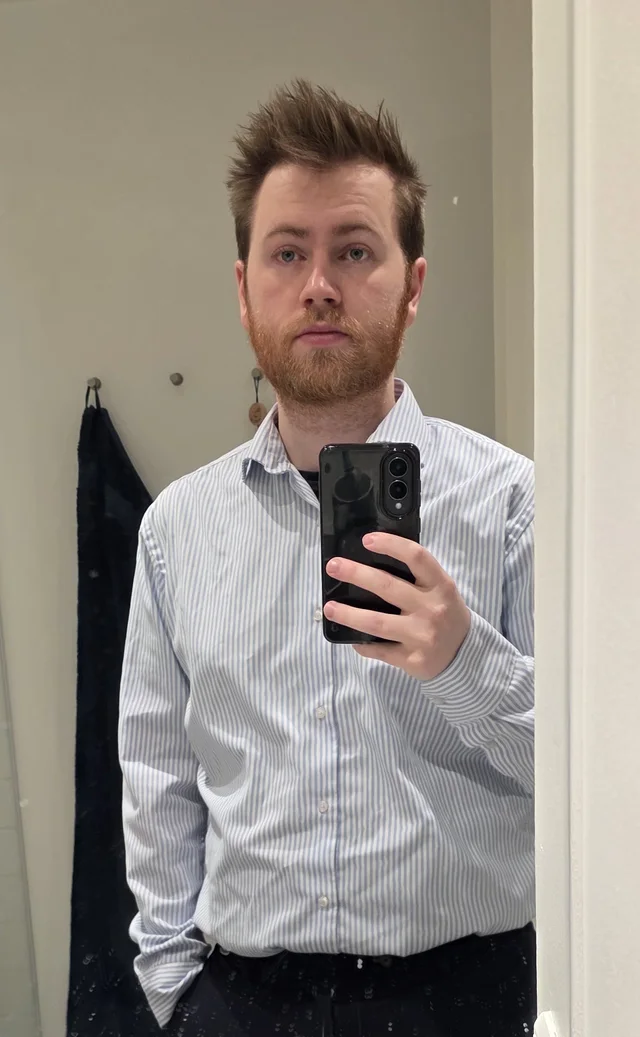
Compare the eyes, hairline, beard, and face shape across the results. A familiar outfit alone does not establish a good likeness.
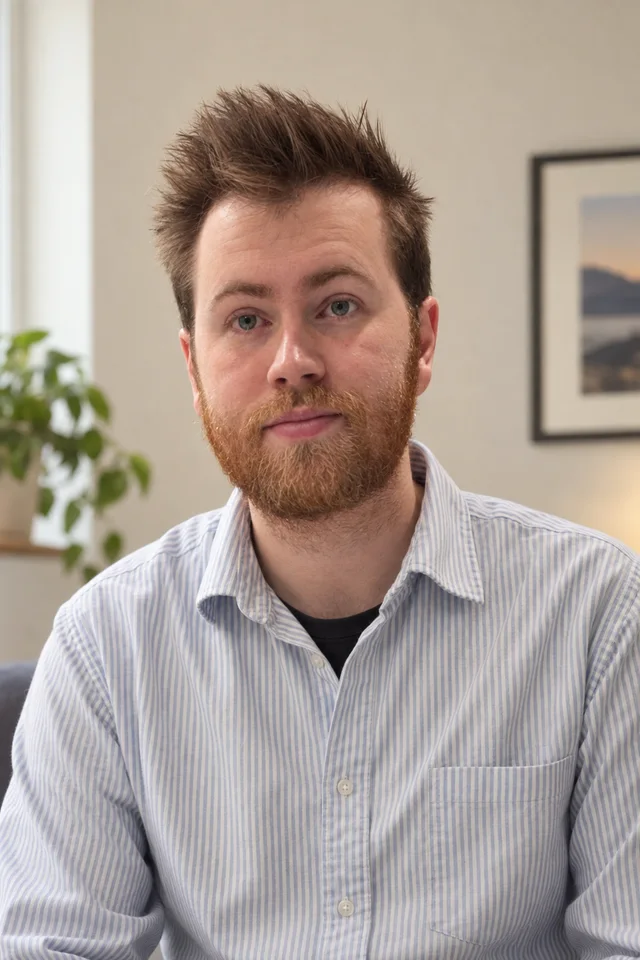
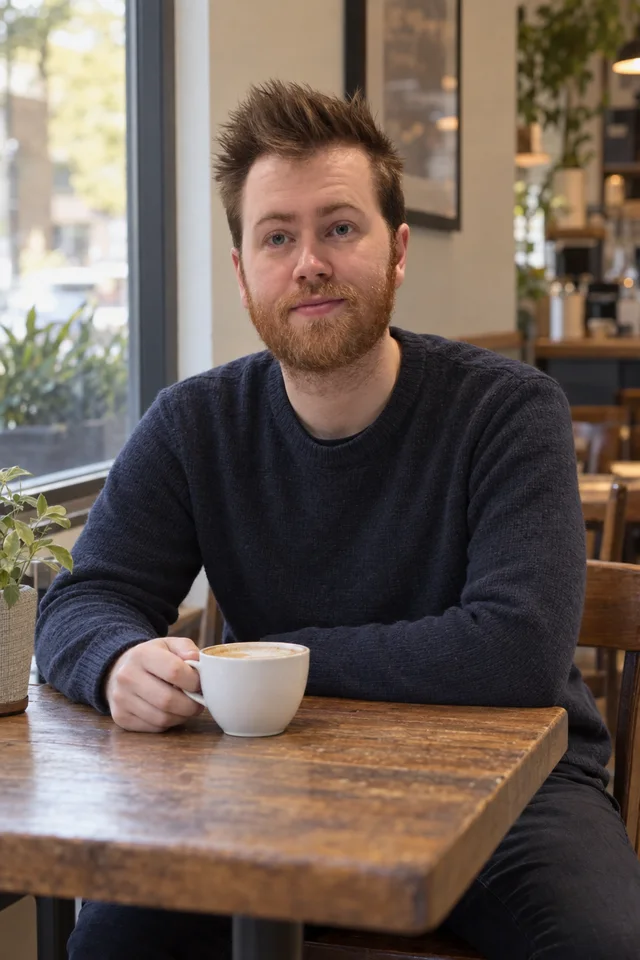
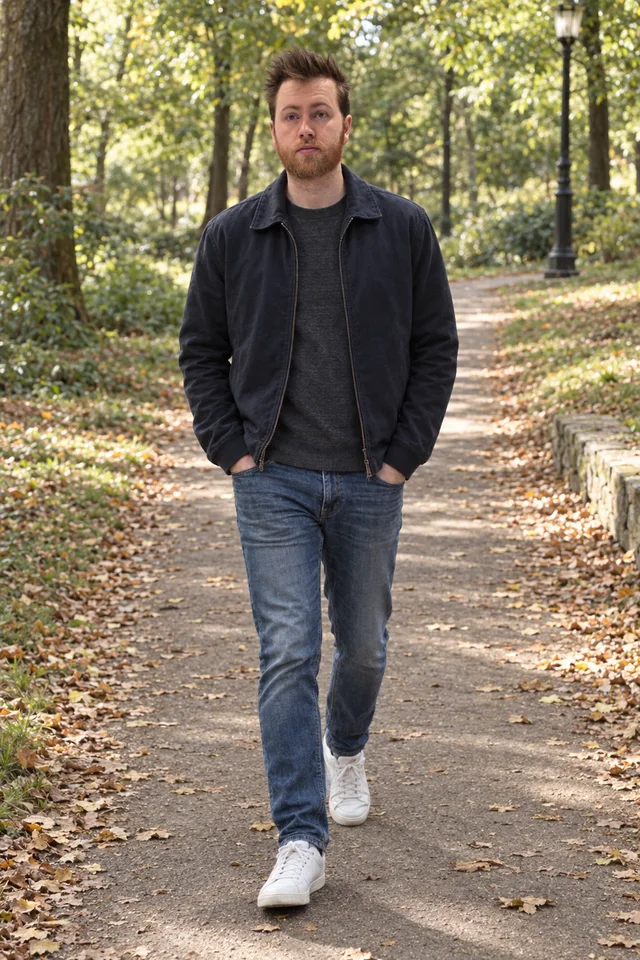
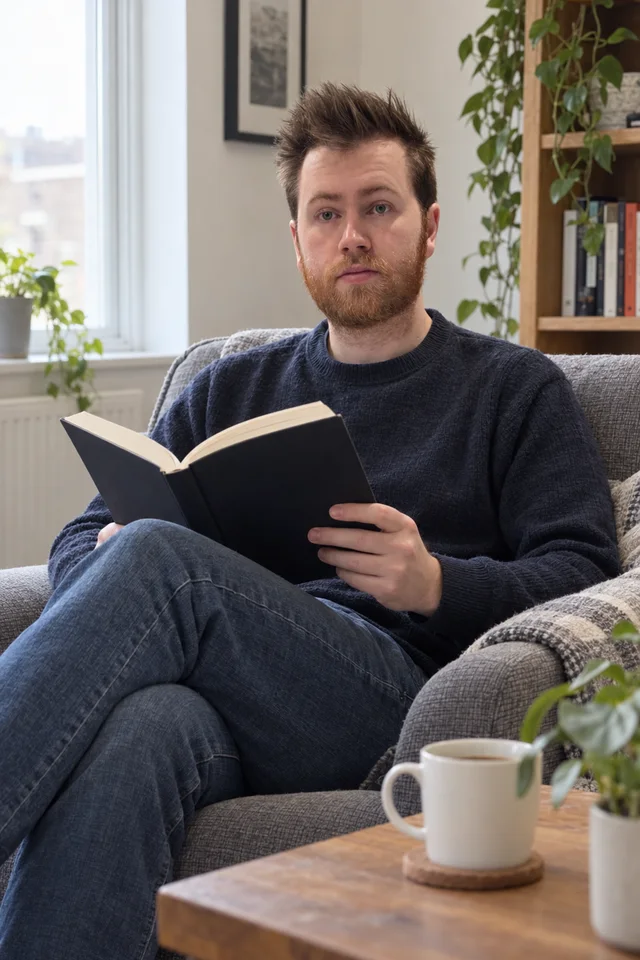
These are generated scenes, not photographs of outings Carl attended. Your results will vary. Review each image against how you look today before deciding whether to use it.
About this example
This example was supplied by AI Photos of You’s founder for publication. The original reference and four outputs are shown in their full proportions, resized and compressed for this page without retouching. The portrait at the top of the page is a square crop of the first result. Permission to publish does not establish how another person’s shoot will turn out.
Before you start
What photos do you need?
Start with one clear, recent photo of yourself. Studio supports one to five reference photos. If you add more, choose different angles with a consistent, current appearance; more photos do not guarantee a better likeness.
- Keep your face in focus, your eyes visible, and your natural skin texture.
- Avoid group photos, sunglasses, beauty filters, and deep shadows across your face.
- Upload JPEG, PNG, or WebP files up to 50 MB each. Export HEIC photos to a supported format first; renaming the file does not convert it.
Your references stay private and are not added to our public examples. See our reference photo checklist for help choosing your uploads.
Start with your kind of weekend
Choose clothes you enjoy and a setting that feels familiar. A relaxed café portrait or a simple park background gives you room to try expressions, lighting, and framing.
- Seated at a neighborhood café, familiar casual shirt, visible eyes, relaxed natural smile.
- Standing beside a leafy park path, everyday jacket, soft daylight, simple background.
- Keep my current age, facial features, hairstyle, and body proportions.
Choose a photo that adds something to your profile
Look at your recent real photos before choosing a direction. If they already include a clear close-up, another similar portrait may add little. You might instead explore an everyday outfit or outdoor light, then decide whether the result belongs in your profile or is a useful idea for a camera photo.
The Dating profile photos look starts with a vertical composition. Describe the framing you want, and preview the download in your app’s crop before publishing. Keep your eyes and expression visible rather than relying on scenery to carry the photo.
Keep your appearance current
Use recent references and compare the results with how you look today. Check your face, teeth, skin texture, and body proportions. A friend who knows you can help choose the most recognizable image.
- Would someone meeting you today recognize your face, age, and build from this image?
- Are your smile, glasses, and hairstyle familiar, without invented details?
- Do visible hands, clothing, and background objects look plausible when viewed closely?
- Could the setting imply a trip, possession, or activity that you would need to explain as imagined?
Check before adding it to your profile
Read your dating app’s image rules before spending credits. Bumble prohibits using artificially generated or enhanced photos to deceive others; other services may have different requirements.
Keep recent real photos central to your profile. Be clear that generated scenes are imagined, and avoid implying experiences or possessions you do not have. If your app requires camera photos, use the ideas to plan a real shoot instead.
Your next photo starts here
Choose a look. Make it yours.
Upload your selfies, choose a style, and describe your photo. Review the credit cost in Studio before you start.
Choose your dating portrait styleResults vary. Keep the photos you feel represent you.
A few things to know
Your questions, answered.
Can I use these on any dating app?
No universal permission applies. Read your app's current image and authenticity policies first. If it requires camera photographs or prohibits your intended use, use real photos.
Can I use an AI portrait for photo verification?
Follow the service's live verification process using your own camera as instructed. Generated portraits are not a substitute for identity or photo verification.
Should I replace all my real photos with AI portraits?
Keep recent real photos central to your profile. Generated portraits can help explore lighting, clothes, and framing, but they do not document your life or an event you attended. Only publish them when your app permits the use and you can represent the image honestly.
Will these photos get me more matches?
More matches are not guaranteed. Use these portraits to explore a look, and only publish images that represent you accurately and meet your app’s rules.
Sources and further reading
Official sources, with the date each was last checked.
- Bumble: Inauthentic profiles guidelines · Checked September 12, 2026