 AI Photos of You
A thoughtful seasonal portrait
Make a Mother’s Day portrait with a personal touch.
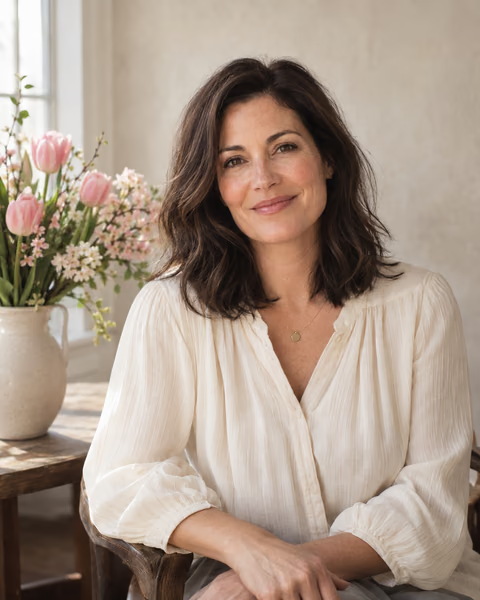
Send your mother a portrait of you, or celebrate your own motherhood with a new photo. Start with spring flowers and soft window light, then choose the clothes and colors that feel personal.
Create your Mother’s Day portraitFrom $19 USD. Pay once, no subscription.
Your reference photos stay private. How your photos are handled
A card starts with your own photo
Open the Mother’s Day look in Studio, upload clear current reference photos of yourself, and choose your framing. The starting scene is a solo portrait beside spring flowers, with space to add your message after downloading.
One account represents one person. This look does not combine relatives or create a family group photo. If your mother wants a portrait of herself, she should use her own account and consent to her own reference photos.
Three directions to make your own
Add one of these directions in Studio, or describe your own idea.
- For a card: a cream blouse, blush flowers in a vase, warm window light, empty space on my left for a message.
- For a keepsake: my favorite cardigan, a leafy garden, a relaxed smile, natural skin texture.
- For a social post: a simple pastel background, bright tulips beside me, a close portrait with visible eyes.
Finish the message yourself
Review your face, hands, clothes, and flowers before choosing a result. Download your favorite, then add your own words using a card or design editor. Text is deliberately left out of the starting scene so you can control the spelling and layout.
For a printed card, check the downloaded file’s dimensions and your printer’s crop requirements before ordering. A generated scene is an imagined portrait, not a record of a family occasion.
Your next photo starts here
Choose a look. Make it yours.
Upload your selfies, choose a style, and describe your photo. Review the credit cost in Studio before you start.
Create your Mother’s Day portraitResults vary. Keep the photos you feel represent you.
A few things to know
Your questions, answered.
Can I make a photo of my mother using my account?
Each account is for one person with their own reference photos. Your mother can create her own portrait through her account and consent. You can use yours to make a portrait of yourself as a gift for her.
Can I add children or other family members?
This Studio supports one reference person per account. The Mother’s Day look creates a solo adult portrait, not a family composite.
Are Mother’s Day photos free?
Generation uses the same paid credits as other Studio looks. Opening the look and choosing directions does not start a paid generation; review the cost in Studio before creating photos.