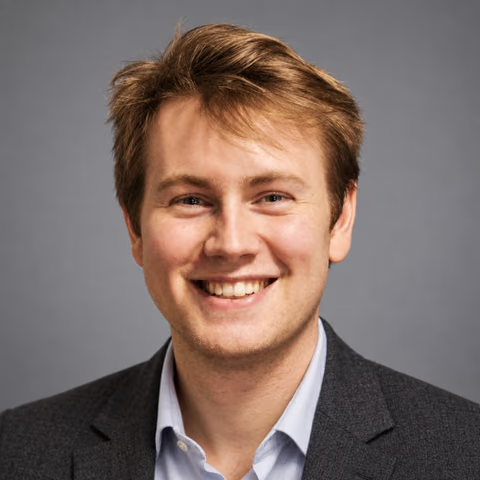
An AI headshot generator with room to make it yours.
Start with your own reference photos, choose a professional look, and describe the outfit and background you want. Studio creates new portraits you can review, edit, and download.
Generated in AI Photos of You · shared with permission · likeness approved by Carl
See the examples
Before-and-after examples
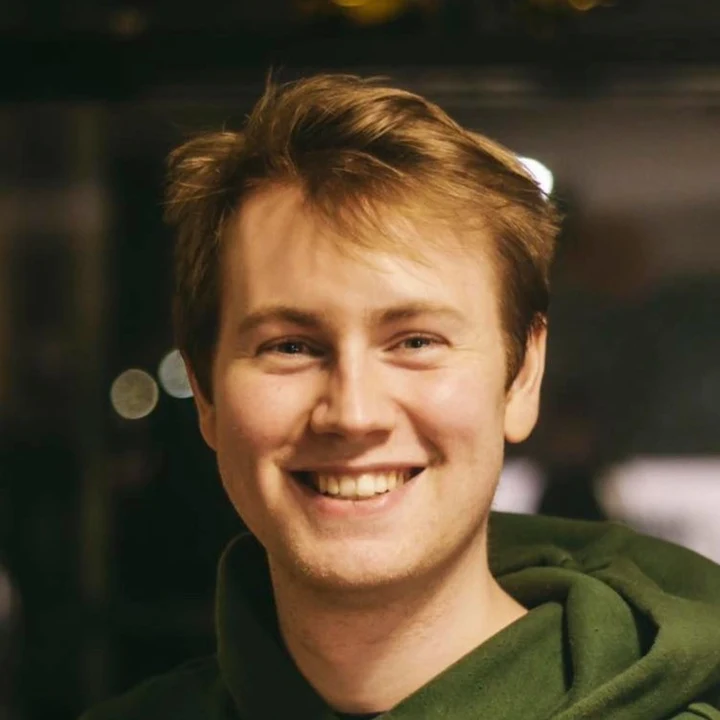
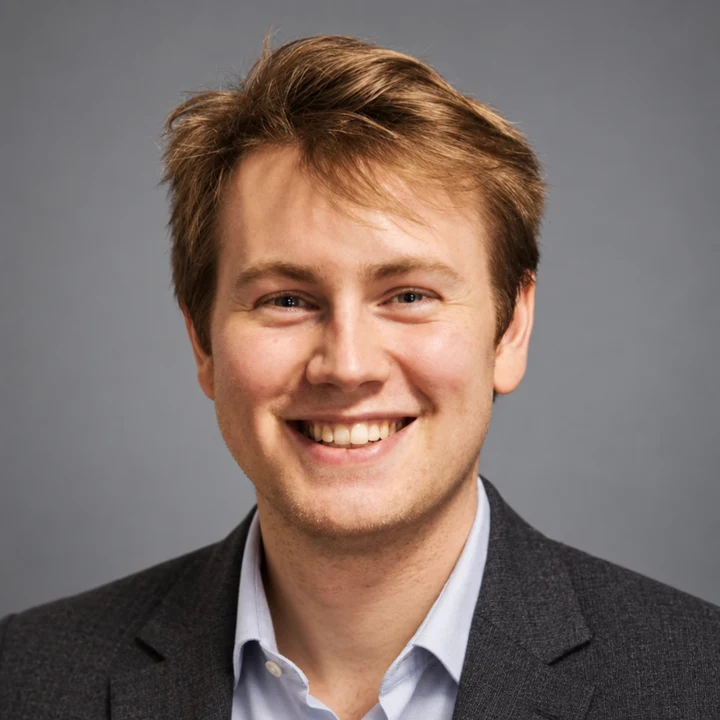
This is an actual reference and result from Carl’s shoot. He approved the likeness; individual results can differ.
Carl’s headshot
Carl’s reference photo · shared with permissionFirst AI-generated result · likeness approved by Carl
One reference photo and the Studio headshots style, with the direction ‘A charcoal blazer, open collar, soft gray backdrop.’ This is the first and only result from that shoot, with no retouching. Carl confirmed: ‘Yes, the likeness is good.’ Shared with his permission, this is a test example, not a paid customer order. Individual results vary.
How this example was made
Made through the app’s reference upload, generation, storage, and download flow in a local verification run using the real image provider and test credits. The images shown here were resized and converted for the web; the generated portrait was not retouched. The generation record documents the run and Carl’s approval.
Open Studio with the headshot look selected. Sign in, upload clear current photos of yourself with your consent, and choose how many photos to create. Your account keeps one shared reference set across devices.
Add your clothing and background directions, review the credit total, and start the shoot. Completed photos appear in My photos. Review the result before downloading or trying an edit.
02
Choose the details that matter
The headshot look starts with square framing, a plain backdrop, soft light, and room around your head. Describe a different composition when your staff page or website needs one. Directions guide generation but do not guarantee exact details.
For a team directory: charcoal blazer, soft gray background, shoulders visible, direct eye contact.
For a creative bio: plain black shirt, warm cream wall, natural smile, soft side light.
For an avatar: centered face with room above the hair and around the shoulders for a circular crop.
03
Review, edit, and download
Choose results that preserve your face shape, eyes, hairstyle, age, and natural texture. If you want a different background or outfit, open a photo in Studio for an edit. An edit can also change other details, so inspect the whole result again.
Download your choice and check how it crops in its final destination. This generates a new portrait rather than making a pixel-preserving adjustment to your original photo.
Your next photo starts here
Choose a look. Make it yours.
Upload your selfies, choose a style, and describe your photo. Review the credit cost in Studio before you start.
Results vary. Keep the photos you feel represent you.
$19USD · one time
100 credits · up to 20 photos
$39USD · one time
300 credits · up to 60 photos
$99USD · one time
1000 credits · up to 200 photos
Each photo or edit uses 5 credits. Edits use the same balance. Any tax is shown at checkout.
What if a photo fails or I don’t like the result?
A failed photo automatically returns its reserved credits. Completed photos use credits, even if you dislike the result; that does not automatically return credits. Each new attempt or edit uses 5 credits. Review the cost in Studio before starting.
Can I request a purchase refund?
Yes. Contact support with your order identifier and the issue. Returning credits for a failed photo is different from a cash refund. Requests are reviewed under our refund terms, the purchase conditions, and applicable law; there is no unconditional satisfaction guarantee.
A few things to know
Your questions, answered.
Is this AI headshot generator free?
No. Headshot generation and edits use paid Studio credits. Prices and the credit cost are shown before generation; opening the headshot look does not start a paid shoot.
Do I need a separate model or subscription?
You upload reference photos in Studio and buy credits as a one-time purchase. The app uses your account’s reference set for your portraits; you do not need to configure a separate model.
Can I use the output for a passport or ID?
Use the photo process required by the issuing authority. This generator is for creative and professional portraits, not compliant identity-document photos.
 AI Photos of You